Oct 10, 2026
Oct 10, 2026
Oct 09, 2026
Oct 09, 2026
Sep 16, 2026
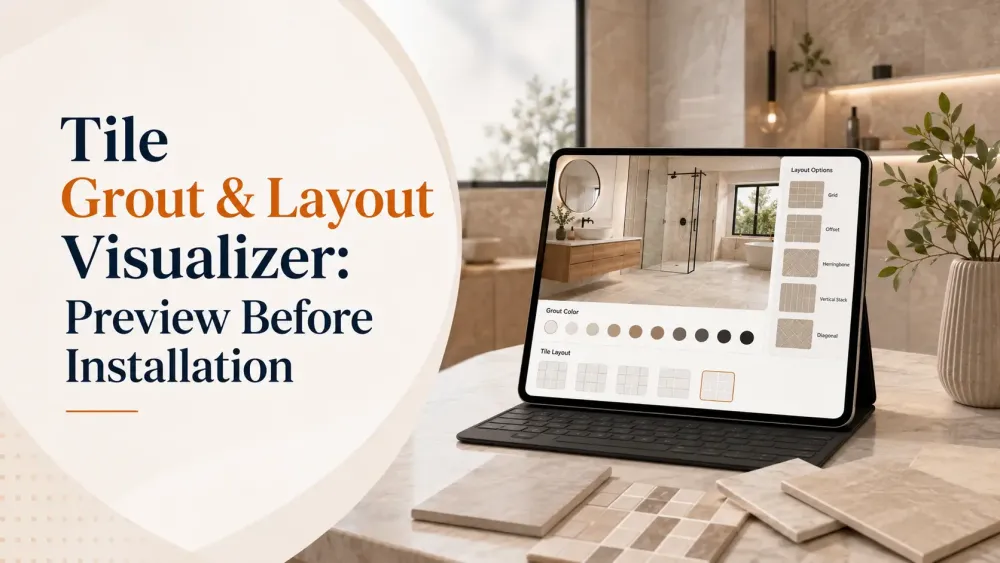
Choosing the right tile is only one part of creating a great-looking space. The final appearance also depends on how the tiles are arranged and how the grout works with the overall design. A tile that looks perfect as a small sample can look very different once it covers an entire floor or wall.
This is where a tile grout and layout visualizer can make the design process easier.
Instead of imagining the finished result from a product image or physical sample, you can use a visualizer to see how tiles could look in an actual room. With Tilesview, businesses and customers can explore tile designs visually and make more confident decisions before installation.
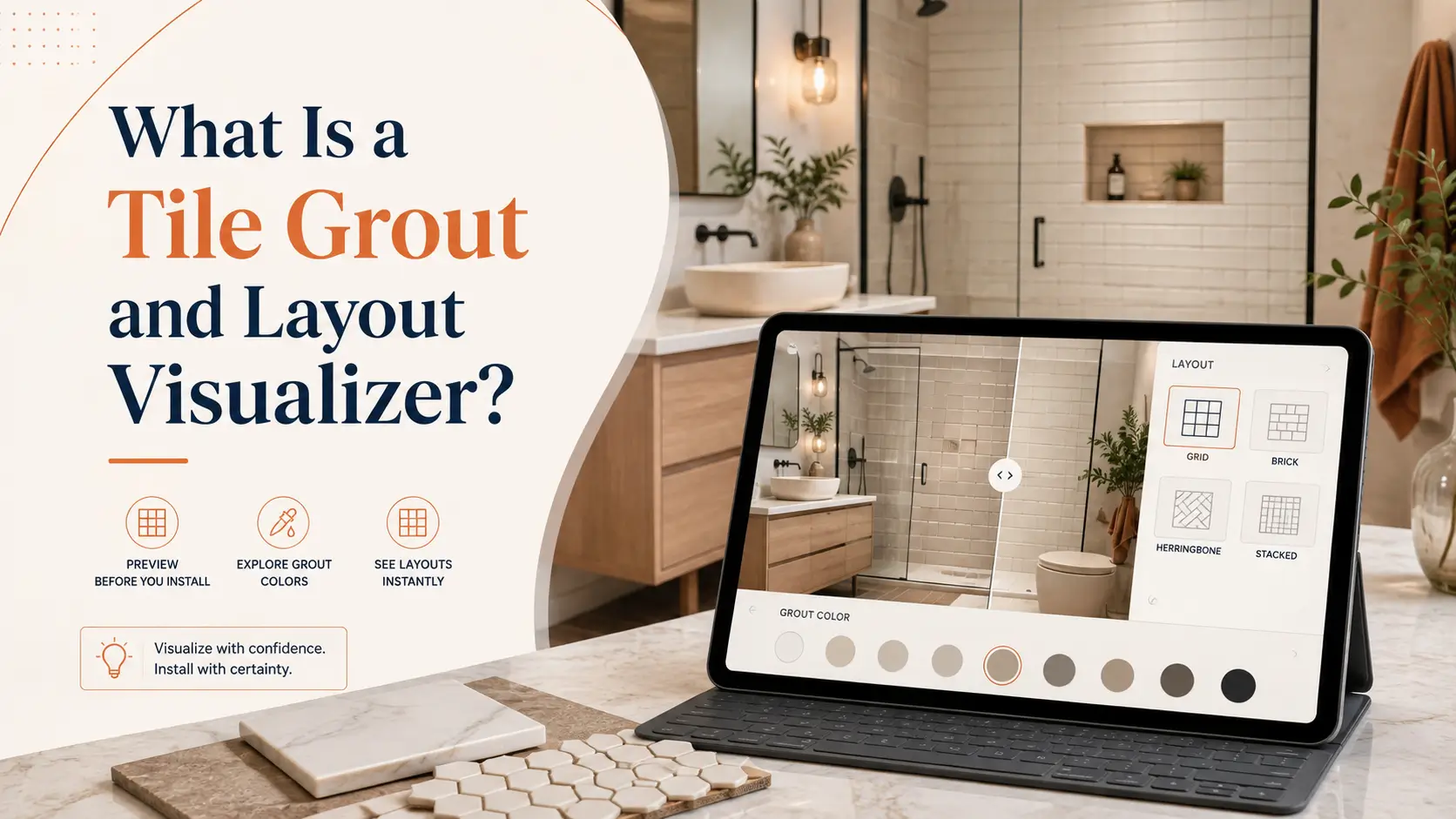
A tile grout and layout visualizer is a digital tool that helps users preview how a selected tile can look in a room before the actual installation begins.
The visualization can help users understand important design elements such as:
Rather than evaluating a tile only from a catalog image, users can experience the product in a room context.
For homeowners, this can make design decisions easier. For tile retailers, manufacturers, and distributors, it provides a more interactive way to present products.
Tile installation is a long-term design decision. Once tiles are installed, changing the layout or product can require additional time, labor, and expense.
Visualization helps move an important part of the decision-making process to the design stage.
A tile sample provides only a limited view of the finished design. A room visualizer provides a better understanding of how the product can appear across the complete space.
Users can preview their preferred tile and evaluate the overall visual effect before making a final decision.
The same tile can create different visual impressions depending on how it is arranged.
A visualizer makes it easier to experiment with different layout approaches instead of trying to imagine every possibility manually.
Customers often compare several tiles before choosing one. Visualization reduces the uncertainty involved in this process by allowing them to see different options in context.
A product image cannot always communicate how a tile will look across an entire room. Visualization gives users an additional reference point before installation.
For tile businesses, an interactive visualization experience can make product discovery more engaging than a traditional catalog or showroom-only experience.
Tilesview is designed to help businesses present flooring and surface products through interactive visualization experiences.
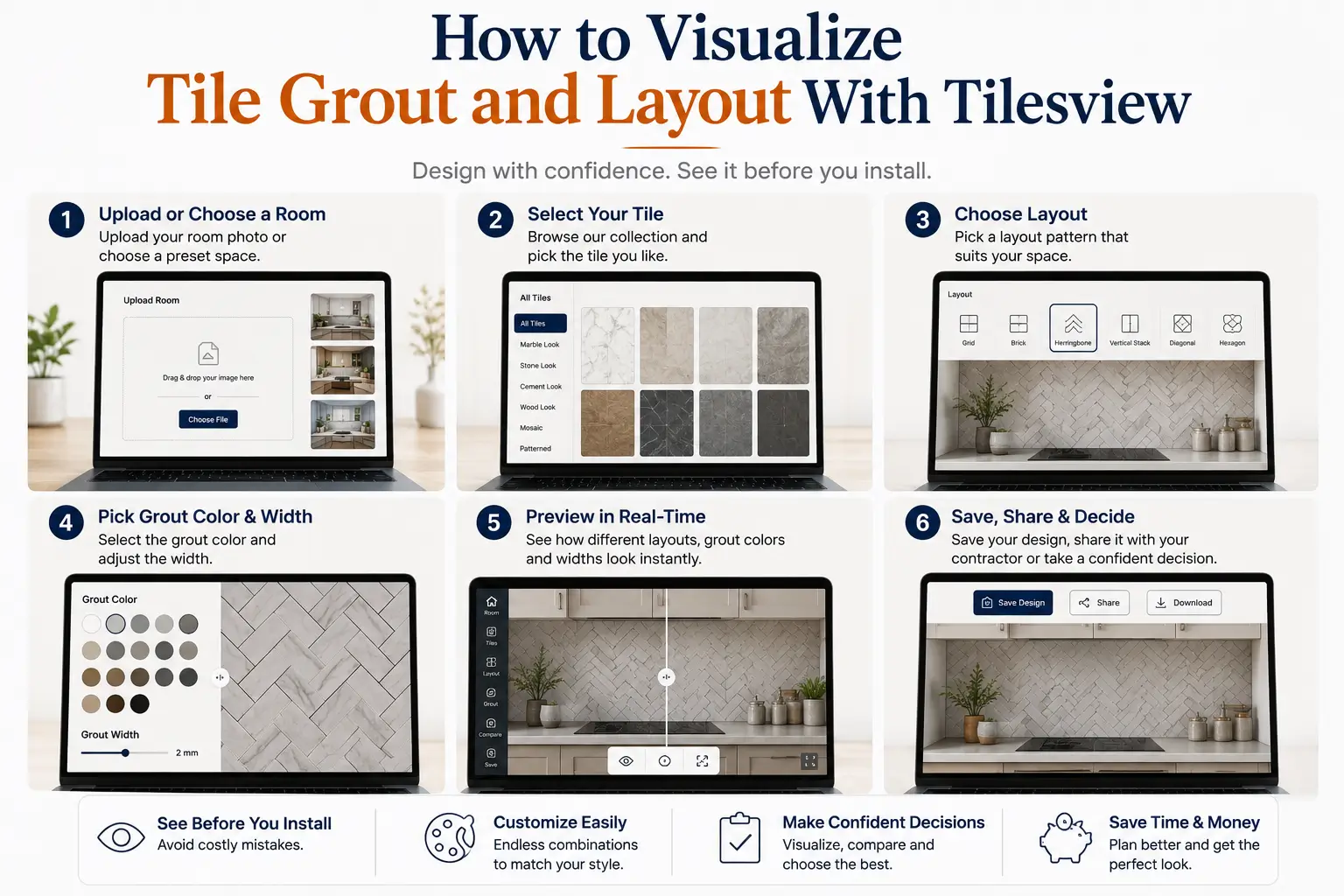
A typical visualization process can follow these steps:
Begin with the room or space you want to visualize.
The objective is to see the selected tile within a realistic design context rather than evaluating the product in isolation.
Choose the tile or surface product you want to preview.
This allows customers to experience the actual product visually and understand how it could work within the selected space.
The selected product can then be visualized on the relevant surface.
Instead of looking at a standalone product image, customers can see how the tile contributes to the appearance of the room.
Experiment with available tile arrangements to understand how the design changes when the tile orientation or pattern changes.
This is particularly useful when the same product can support multiple installation patterns.
Tile Grout Visualizer can influence how individual tiles are visually separated.
When evaluating a tile design, users can consider how the grout appearance works with the tile rather than treating the tile and grout as completely separate design decisions.
One of the biggest advantages of digital visualization is the ability to explore alternatives.
Customers can compare different products and design combinations before deciding which option best fits their space.
Once a preferred design has been identified, the visualization experience can support the next stage of the customer journey: selecting the product and moving closer to purchase.
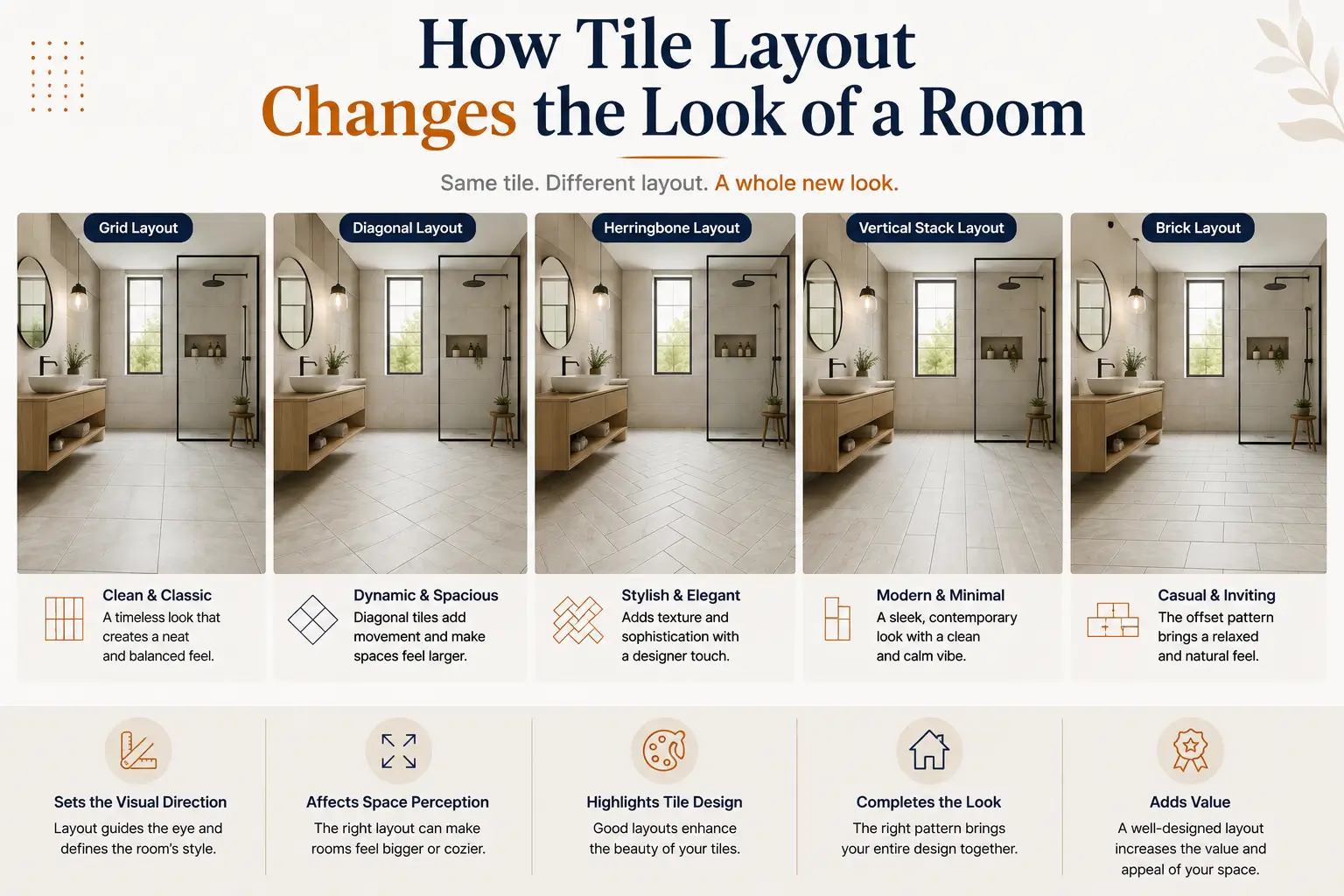
Tile layout is more than an installation technique. It can influence the visual character of a room.
For example, a simple grid arrangement can create a clean and structured appearance, while staggered or more decorative arrangements can introduce additional visual movement.
Some commonly explored tile layouts include:
Tiles are aligned in rows and columns, creating a simple and organized appearance.
Each row is offset from the previous row. This can create a more dynamic appearance while maintaining a relatively simple design.
Tiles are arranged at an angle to create a distinctive directional pattern. This type of layout can add more visual interest to floors and walls.
Some projects require more creative arrangements. A visualizer can help users understand the potential appearance before committing to installation.
The important point is that the same tile can look different depending on its layout. Visualization helps users experience those differences rather than relying entirely on imagination.
Grout is often treated as a minor installation detail, but it contributes to the visual appearance of tiled surfaces.
The relationship between tile and grout can affect:
A contrasting grout can make tile boundaries more noticeable, while a closer grout color can create a more unified appearance.
This is why visualizing the complete tile design is more useful than evaluating the tile alone.
Tile selection doesn't have to be based entirely on imagination.
With a tile visualization platform such as Tilesview, customers can explore how products, layouts, and overall room designs work together before installation.
For tile businesses, this creates an opportunity to turn product catalogs into more interactive design experiences. Instead of simply showing customers what a tile looks like, businesses can help them understand how that tile could look in their space.
That shift—from product viewing to visual experience—can make tile selection easier, more engaging, and more confidence-driven.
Yes. A tile visualizer can help users preview how a selected tile and its arrangement may look in a room before installation.
Yes. Visualization makes it easier to explore different tile arrangements and compare their visual effects.
Yes. Retailers can use visualization to demonstrate products in room settings, support customer decisions, and create a more interactive shopping experience.
Depending on the visualizer setup and available functionality, customers can use room-based visualization experiences to explore how products could look within their intended environment.
Not necessarily. Digital visualization and physical samples serve different purposes. Visualization helps evaluate the design and room context, while physical samples allow customers to assess the actual material.

Anand Bhoraniya is a technology entrepreneur and visualization innovator at Tilesview, specializing in AI-powered room visualization software for tile, flooring, paint, and wall covering brands. He regularly shares insights on AI visualization trends, virtual showroom experiences, personalized design technology, warm minimalist interiors, and photorealistic room design solutions.
Get the latest insights on room visualizer, interior design trends, and product updates delivered to your inbox.
No spam. Unsubscribe anytime.